AI TL;DR
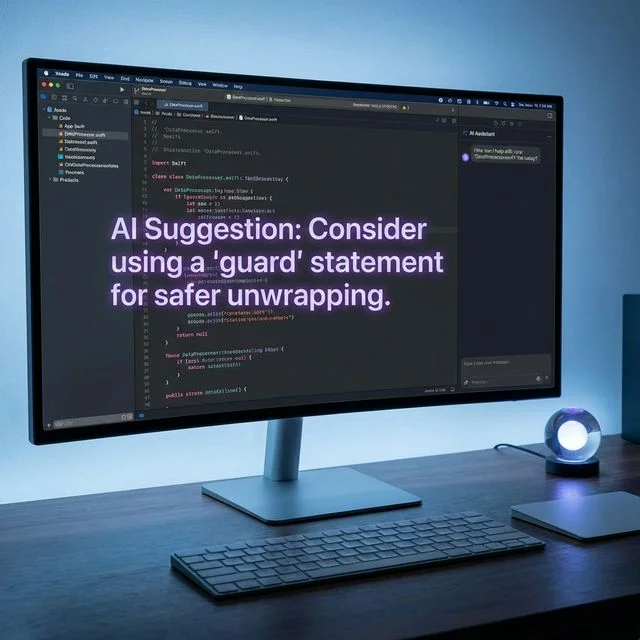
Apple's Xcode 26.3 brings native Claude Agent and Codex support with MCP integration. Learn how to set up agentic coding for iOS development. This article explores key trends in AI, offering actionable insights and prompts to enhance your workflow. Read on to master these new tools.
Apple just dropped Xcode 26.3, and it's a game-changer for iOS developers. This release brings native Claude Agent integration alongside OpenAI's Codex, transforming your IDE into an agentic coding environment.
Let's break down everything you need to know.
What's New in Xcode 26.3
The February 2026 release candidate introduces "agentic coding"—AI that doesn't just autocomplete, but actively builds your projects.
Key Features
| Feature | Description |
|---|---|
| Claude Agent SDK | Native integration with Anthropic's AI |
| OpenAI Codex | Alternative AI provider support |
| MCP Support | Model Context Protocol for tool integration |
| Visual Verification | AI can capture and analyze SwiftUI Previews |
| Autonomous Tasks | Agents work independently to complete goals |
How Agentic Coding Works
Unlike traditional autocomplete, Claude Agent in Xcode 26.3 can:
- Understand project context - Analyze your entire codebase
- Break down tasks - Plan multi-step implementations
- Modify multiple files - Make coordinated changes across the project
- Build and test - Run builds, execute tests, detect errors
- Self-correct - Iterate until the task is complete
- Search documentation - Query Apple's developer docs directly
Example Workflow
You tell Claude: "Add a settings screen with dark mode toggle"
The agent will:
- Explore your existing file structure
- Create a new SettingsView.swift
- Update your app's navigation
- Add UserDefaults persistence
- Build, preview, and fix any layout issues
- Only ask for clarification when necessary
Setting Up Claude Agent in Xcode
Prerequisites
- macOS with Xcode 26.3 installed
- Claude Pro, Max, or Team/Enterprise plan
- Anthropic account or API key
Step-by-Step Setup
Step 1: Open Xcode Preferences
Navigate to Xcode > Settings > Intelligence
Step 2: Add Anthropic Provider
Under "Providers," select Anthropic and click Get next to Claude Agent.
Step 3: Authenticate
Sign in with your Claude account or enter your Anthropic API key.
Step 4: Select Model
Choose your preferred Claude model from the dropdown:
- Claude Opus 4.6 - Most capable, best for complex tasks
- Claude Sonnet 5 - Balanced performance and cost
- Claude Haiku - Fast, lightweight tasks
Step 5: Start Using
Open any project and invoke the agent with your task description.
Understanding MCP (Model Context Protocol)
Xcode 26.3 supports the Model Context Protocol, an open standard from Anthropic that acts as a "universal USB-C" for AI.
What MCP Enables
- Tool Discovery - AI can find and use available tools dynamically
- External Connections - Connect to databases, APIs, file systems
- Bidirectional Communication - Real-time interaction between AI and tools
- Standardized Interface - Same protocol works across different AI models
MCP in Practice
With MCP, Claude Agent can:
- Access your Git history
- Query your backend APIs
- Read configuration files
- Update project settings
- All without custom integration code
Visual Verification with SwiftUI
One of the most impressive features is visual verification. Claude Agent can:
- Build your SwiftUI views
- Capture Xcode Previews as screenshots
- Analyze the visual output
- Identify layout issues
- Fix problems automatically
This creates a feedback loop where the AI iterates on UI until it looks right.
Claude Opus 4.6 vs Sonnet 5: Which to Choose?
Both models are available in Xcode 26.3, with different strengths:
Claude Opus 4.6
- 1M token context window (beta)
- Superior code review and debugging
- Better for large codebases
- Finds security vulnerabilities
- Higher cost
Claude Sonnet 5 (Fennec)
- 50% cheaper than Opus pricing
- Excellent coding benchmarks
- Faster response times
- Great for most development tasks
- Released February 3, 2026
Recommendation: Start with Sonnet 5 for daily development, switch to Opus 4.6 for complex refactoring or security audits.
Xcode vs Cursor vs Windsurf
How does Apple's AI integration compare to standalone AI IDEs?
| Feature | Xcode 26.3 | Cursor | Windsurf |
|---|---|---|---|
| Native Swift support | ✅ Excellent | ⚠️ Basic | ⚠️ Basic |
| SwiftUI Preview integration | ✅ Yes | ❌ No | ❌ No |
| Apple documentation access | ✅ Native | ⚠️ Via web | ⚠️ Via web |
| iOS Simulator integration | ✅ Full | ❌ No | ❌ No |
| Multi-model support | ⚠️ Limited | ✅ Many | ✅ Many |
| MCP support | ✅ Yes | ✅ Yes | ✅ Yes |
Bottom Line: For iOS/macOS development, Xcode 26.3 is now the clear choice. For cross-platform or web development, Cursor and Windsurf remain strong options.
Best Practices for Agentic Coding
1. Be Specific with Instructions
Bad: "Make the app better"
Good: "Add error handling to the NetworkManager class with retry logic and user-friendly error messages"
2. Start Small
Let the agent prove itself on smaller tasks before giving it large refactoring jobs.
3. Review Changes
Always review the diff before committing. AI is powerful but not infallible.
4. Use Project Context
Keep relevant files open so the agent understands your coding style and patterns.
5. Iterate
If the first result isn't perfect, refine your prompt rather than starting over.
Pricing Considerations
Using Claude in Xcode requires an Anthropic subscription:
| Plan | Price | Best For |
|---|---|---|
| Pro | $20/month | Individual developers |
| Max | $200/month | Power users |
| Team | Custom | Teams with shared billing |
| Enterprise | Custom | Large organizations |
API usage may incur additional costs based on tokens consumed.
What's Next for Xcode AI
Apple's roadmap suggests:
- More model providers - Additional AI integrations coming
- Improved SwiftUI generation - Better UI component creation
- Xcode Cloud integration - AI in CI/CD pipelines
- On-device models - Local AI processing for privacy
Getting Started Today
- Download Xcode 26.3 from the Mac App Store
- Set up your Claude account
- Configure Intelligence settings
- Try a simple task: "Create a basic todo list view with add and delete functionality"
- Watch the magic happen
The future of iOS development is here. With Claude Agent in Xcode 26.3, you have an AI pair programmer that understands Apple's ecosystem natively.
Ready to level up your iOS development? Check out our guides on Claude Code and GitHub Copilot vs Cursor for more AI coding tools.