AI TL;DR
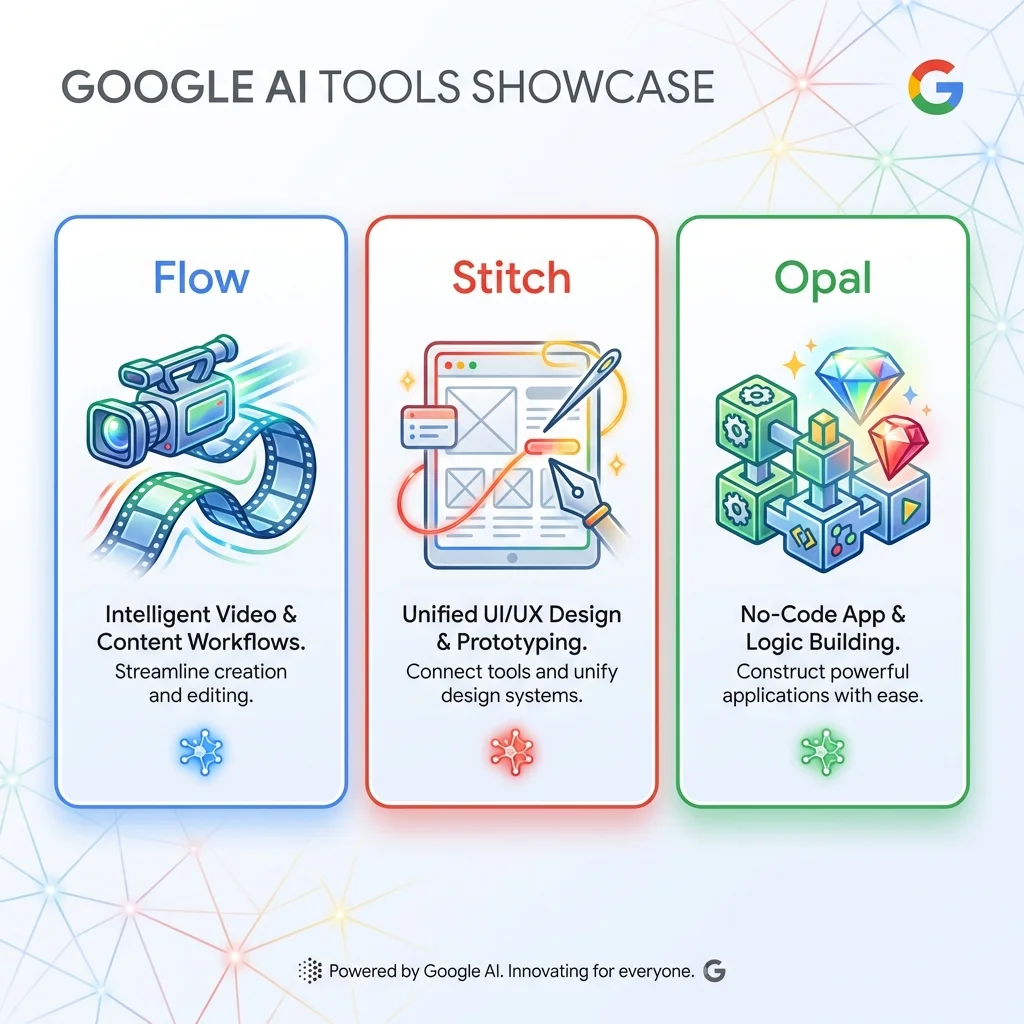
Google Labs released three powerful AI tools for creators and developers. Here's what you need to know about Flow (AI filmmaking), Stitch (UI design), and Opal (app building).
Google's AI Creative Toolkit: Flow, Stitch & Opal Explained (2026)
Google Labs dropped three experimental AI tools in 2025-2026 that are changing how we create content, design interfaces, and build apps.
Google Flow turns text into cinematic videos. Google Stitch generates production-ready UI designs. Google Opal builds AI-powered mini-apps instantly.
Here's your complete guide to all three.
Google Flow: AI Filmmaking
What It Does
Flow transforms natural language descriptions into high-definition videos using Google's Veo 3.1 model. Launch it from Google Workspace, describe your vision, and watch it come to life.
Rolled out: January 2026 (Workspace Business, Enterprise, Education)
Key Features
| Feature | Capability |
|---|---|
| Video Generation | Text, images, or ingredients to video |
| Resolution | 1080p (standard), 4K (Veo 3.1) |
| Aspect Ratios | 16:9 or 9:16 (vertical for Shorts) |
| Scene Control | Adjust lighting, camera angles, objects |
| Audio Integration | Generate audio for scenes and transitions |
Three Ways to Create
- Text-to-Video - "A cyberpunk city at sunset, neon lights, aerial view"
- Frames-to-Video - Upload images, Flow animates between them
- Ingredients-to-Video - Combine elements (character + setting + mood)
Who It's For
- ✅ Marketers - Rapid mockups for social media campaigns
- ✅ Educators - Visual explanations of complex concepts
- ✅ Content Creators - YouTube Shorts, TikToks without filming
- ✅ Businesses - Internal communications, product demos
Pricing
- Included in: Google AI Pro, AI Ultra for Business
- AI Credits: Varies by plan (consumes credits per generation)
Google Stitch: AI UI Design
What It Does
Stitch generates complete UI/UX designs and production-ready code from text prompts or uploaded sketches. It's like having a senior designer and frontend developer in one AI.
Launched: Google I/O 2025 (experimental access)
How It Works
Input → Stitch → Output
━━━━━━━━━━━━━━━━━━━━━━━━━━━━━
Text prompt     → UI design + code
Hand-drawn sketch → Complete interface
Screenshot      → Replication + variants
Reference image → New design in that style
Standout Features
1. Dual Generation Modes
- Standard Mode: Gemini Flash (quick prototypes)
- Experimental Mode: Gemini Pro (refined designs, limited generations)
2. Code Export
- Clean HTML/CSS or React code
- Production-ready (minimal cleanup needed)
- Editable layers, auto-layout
3. Prototypes Feature (December 2025 update)
- Connect multiple screens
- Interactive user flows
- Export to Figma or code
4. Design Iteration
- Multiple variants per prompt
- Customize colors, fonts, spacing
- Theme generation
Real-World Use Cases
| Scenario | How Stitch Helps |
|---|---|
| Rapid Prototyping | Stakeholder demos in minutes |
| Design Exploration | Generate 10 layout options instantly |
| Wireframe to UI | Convert sketches to polished designs |
| Design Handoff | Code export speeds development |
Who It's For
- ✅ Solo Developers - Skip hiring a designer
- ✅ Designers - Accelerate ideation phase
- ✅ Agencies - Client mockups at lightning speed
- ✅ Startups - MVP interfaces without design debt
Pricing
- Free Tier: Limited generations (experimental access)
- Full Access: Expected with Google Workspace AI plans
Google Opal: No-Code AI App Builder
What It Does
Opal lets you build AI-powered mini-apps ("Gems") using plain English. No coding required — just describe functionality, and Opal handles APIs, UI, and deployment.
Broader Rollout: 2026
Under the Hood
Opal combines multiple Google AI models:
| Model | Purpose |
|---|---|
| Gemini | Reasoning and logic |
| Titan Miras | Persistent memory |
| Anti-Gravity | Automation |
| Imagen 4 | Image generation |
| AudioLM | Audio processing |
| Veo | Video generation |
Core Capabilities
1. Visual Workflow Editor
- Drag-and-drop AI model chaining
- Multi-step app logic
- No code required (but supports custom code)
2. Cloud Deployment
- Apps run instantly in the browser
- Google Cloud hosting included
- Share via private or public links
3. Debugging Console
- Real-time preview
- Inspect model calls
- Step execution logs
4. Styling
- Describe desired look in prompts
- Auto-generated UI based on function
Example Apps You Can Build
| Type | Description |
|---|---|
| Data Analyzer | Upload CSV, ask questions, get insights |
| Content Generator | Multi-step content pipelines |
| Research Assistant | Query PDFs with AI memory |
| Personal Tools | Custom productivity micro-apps |
Who It's For
- ✅ Non-Technical Users - Build tools without developers
- ✅ Power Users - Personal productivity automation
- ✅ Startups - Quick PoCs and demos
- ✅ Hackers - Rapid experimentation
Pricing
- Free Tier: Expected (limited generations)
- Pro Plans: TBD for 2026 full launch
Side-by-Side Comparison
| Tool | Purpose | Input | Output | Best For |
|---|---|---|---|---|
| Flow | AI Filmmaking | Text, images | HD/4K videos | Content creators, marketers |
| Stitch | UI Design | Text, sketches | Designs + code | Designers, developers |
| Opal | App Building | Text prompts | Working mini-apps | Non-coders, rapid prototyping |
The Bigger Picture: Google's AI Strategy
These three tools represent Google's push toward AI-native creation:
- Flow - Democratizes video production
- Stitch - Closes design-to-code gap
- Opal - Enables no-code app building
Together, they form a creator-to-developer pipeline powered entirely by AI.
Getting Access
Google Flow
- Available now in Google Workspace
- Requires AI Pro or AI Ultra subscription
Google Stitch
- Labs.google.com/stitch (experimental access)
- Waitlist for broader rollout
Google Opal
- Beta access through Google Labs
- Full release expected mid-2026
FAQ
Are these tools free?
Flow requires Workspace AI plans. Stitch and Opal have free experimental tiers, with paid plans coming in 2026.
Can I use them commercially?
Yes, but check individual terms. Flow and Stitch are designed for business use. Opal's commercial terms are still being finalized.
How do they compare to competitors?
- Flow vs Runway, Pika: Better Workspace integration
- Stitch vs v0.dev, Galileo: Tighter Google ecosystem
- Opal vs Bubble, Tile: Easier but less control
Will they replace designers/developers?
No — they're acceleration tools, not replacements. Designers can prototype faster, developers can skip boilerplate.
Related Google AI Tools
- Google Gemini – The underlying AI model
- Google AI Studio – Build with Gemini API
- Firebase Studio – Full app development
Last updated: January 2026